![Loopfront-1.svg]](https://knowledgebase.loopfront.com/hubfs/Loopfront-1.svg)
Instead of handling transportation of orders outside the platform, you can use the internal delivery feature to keep the process structured and make sure the right item moves to the right place.
This helps your team coordinate logistics, keep an overview of what is being transported, and support more structured reuse across departments, locations, and projects.
How admins can set up internal delivery and administrate the transportation team
1. Decide who will manage transportation in your organization. Agree on how transportation should be handled in practice, for example by an internal team, a contractor, or another logistics partner.
2. Make sure the right people have access to Loopfront and assign the relevant roles for the transportation team by clicking on the "settings"-button on the "internal delivery" feature in the features tab in the organization settings. For example admin access for setup and buyer/seller or operational access for day-to-day handling.
3. Enable Delivery reference if relevant, so users can enter in a delivery reference number at checkout. Here the admin can define a Delivery reference label and a Delivery placeholder text.
This can be changed again in admin settings.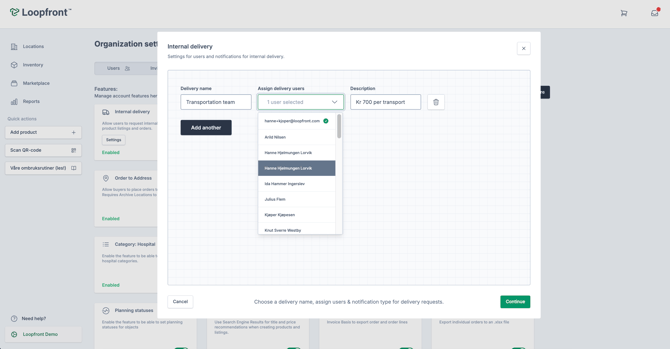
How the order flow with internal delivery works
| Step | What | Who |
| 1 | Orders an item listed "for pickup" and Selects internal delivery in the order checkout | Buyer |
| 2 | Is notified of the order and approves it | Seller |
| 3 | Is notified of the transportation request, Schedules a delivery date and confirms it | Transportation team |
| 4 | Is notified of delivery date and prepares the order for pickup and marks it as ready | Seller |
| 5 | Physically picks up the order and delivers it | Transportation Team |
| 6 | Marks the order as delivered and the order is complete. | Seller or Transportation Team |
Note: Sellers have to list the item(s) on the marketplace as "for pickup" for the buyer to be able to order delivery services.
1. The buyer places an order and selects fulfilment: "Delivery" in the second step of the order checkout process. Here they can chose delivery service if there are multiple options, add a reference number and a delivery note for the transportation team.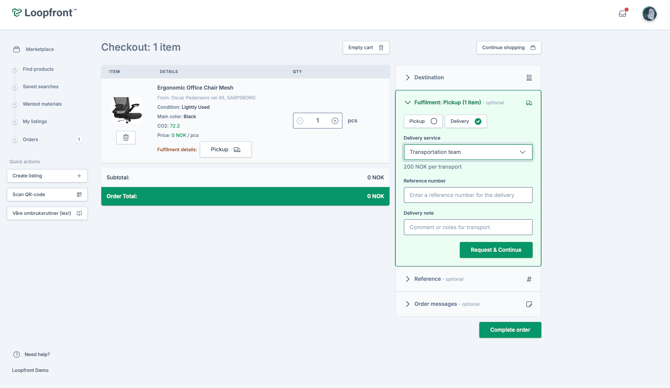
2. The seller gets notified of the order, and needs to approve it. The buyer is notified when the order has been approved and can follow the status while the item is being handled.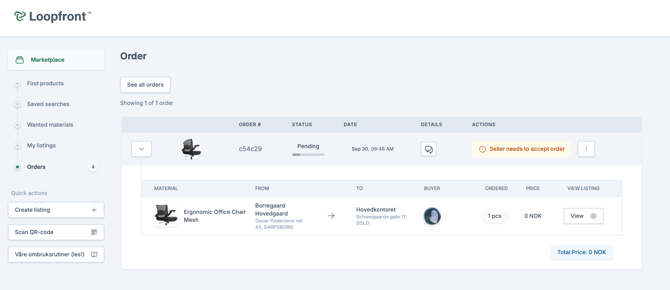
3. The transportation team will be notified of the transport request through notifications in the platform and by email. Open the relevant order in Loopfront to see what should be moved and where it should go and coordinate it with the responsible person.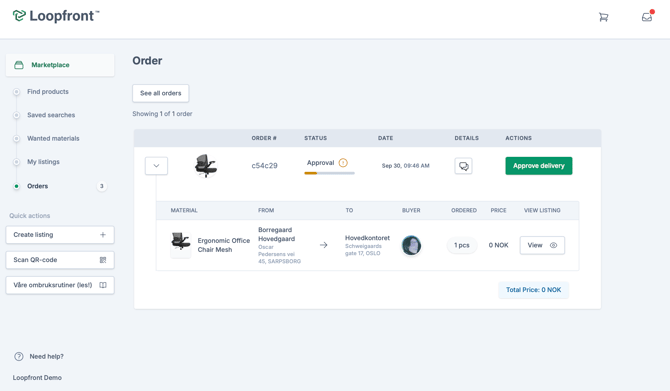
When the seller has accepted the order, the transportation team has to approve delivery and schedule a delivery date and time.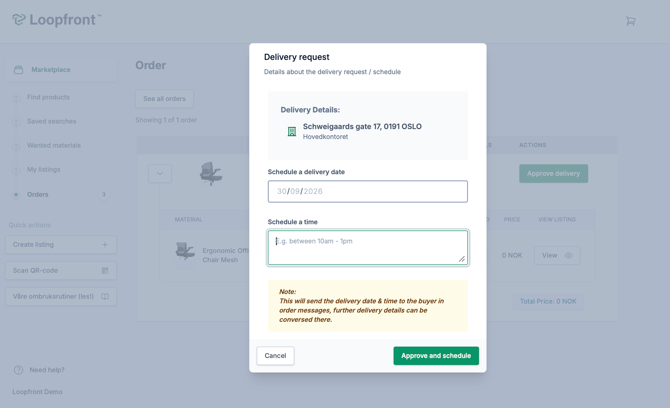
4. The seller is then notified of the approved and scheduled delivery date from the transportation team, and prepares the order for pickup and marks it as ready.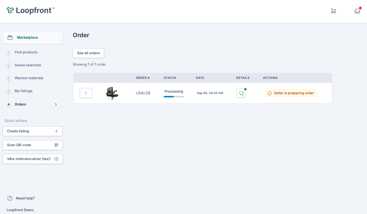
5. The transportation team physically picks up the order and delivers it to the buyer.
6. Finally the seller or the transportation team can marks the order as delivered and the order is complete. When the delivery is completed, the order and item status are updated in Loopfront.