![Loopfront-1.svg]](https://knowledgebase.loopfront.com/hubfs/Loopfront-1.svg)
There are two possible entry points for finding the objects for your location or your project, both explained below.
Note that your project most probably is registered as a location with the location name of the your project's building or with the project name as the name of a location.
Filter in inventory:
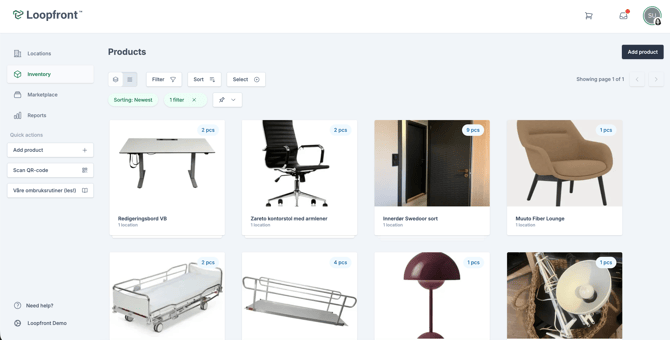
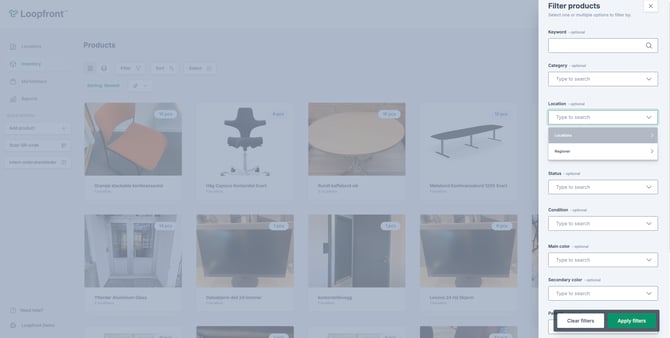
You can use the filter function in Inventory (go to Inventory in the platform's left menu) and enter your location's name in the Location dropdown in the Filter products slide-in (placed to the right in the screenshot below).
Go via locations:
You can go to your location via Location in the left menu and then select View under Products
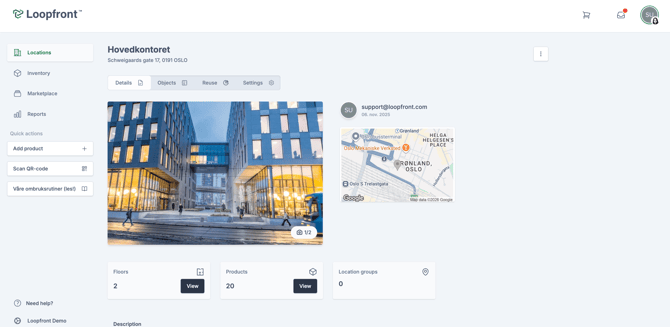
This will lead you to the inventory, which is now filtered the location, displaying all objects currently on the location.